Stop Guessing: A Project Estimate Template for Accurate Bids
For any creative professional, entrepreneur, or small business owner, the moment a potential client asks, "What will this cost?" is a pivotal one. Your response can make or break a deal. A vague, back-of-the-envelope number can erode trust and leave money on the table, while a detailed, professional estimate builds confidence and sets clear expectations. This is where a structured Project Estimate Template becomes an indispensable design asset in your business toolkit, moving you from guesswork to precision.
The Anatomy of a Professional Estimate
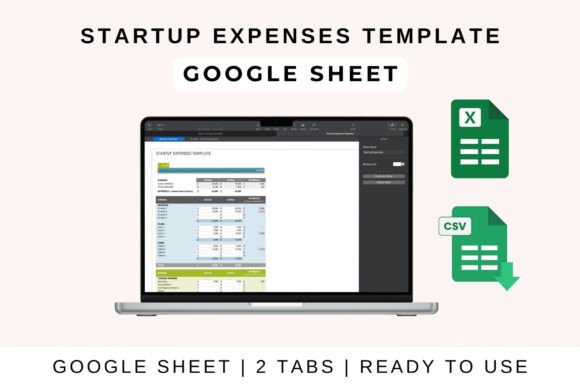
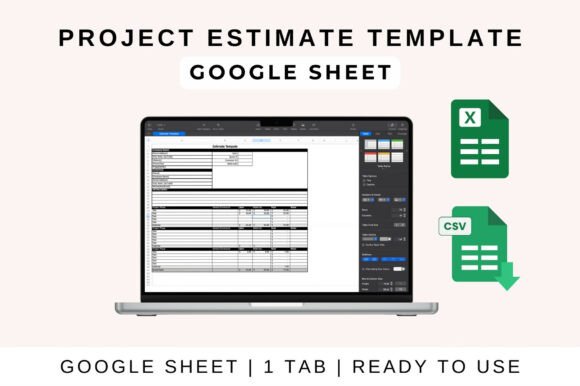
A well-crafted Project Estimate Template is more than a simple price list. It's a strategic document that communicates professionalism and thoroughness. Visually, it should be clean, organized, and easy to navigate, much like a well-designed page in editorial design. Think of it as the typeface of your business proposal—its style sets the tone. A template built in Excel or Google Sheets uses a grid system, much like a web layout, with clear columns for line items, descriptions, quantities, rates, and totals. The personality is one of clarity and reliability; there are no flashy graphics, just a confident presentation of data.
The appeal lies in its modern typography of function. Just as a sans serif font prioritizes readability on screens, a good template prioritizes the clear communication of costs. It breaks down a project into digestible components: labor hours, material costs, software licenses, and contingency fees. This granular approach not only helps you, the creator, think through every aspect of the project but also allows your client to see exactly where their investment is going. It transforms a mysterious total into a transparent roadmap, which is crucial for brand identity projects or large-scale packaging design where costs can be complex.
Practical Applications Across Industries
The utility of a Project Estimate Template spans virtually every field. For a freelance graphic designer, it's essential for quoting logo design packages or social media campaign work. A web developer can itemize hours for front-end development, back-end integration, and content upload. A marketing consultant might use it to break down the costs for a multi-channel launch campaign, separating paid advertising spend from creative production fees. It’s the financial blueprint for turning a creative vision into a feasible project.
Consider its role in maintaining consistency. Using the same template for every client ensures your brand identity is professionally presented across all communications. This consistency builds recognition and trust. The template itself becomes a key part of your operational design assets. When a client receives a clear, itemized estimate from you, it signals that you are organized, detail-oriented, and serious about your work. This perception directly influences their willingness to move forward and their respect for the quoted price.
Maximizing the Template: Tips and Customization
To get the most out of your Project Estimate Template, treat it as a living document. Start by customizing it to fit your specific workflow. Add your company logo at the top for a branded touch. Adjust the line items to reflect the services you offer most frequently. If you’re a crafter or hobbyist selling custom goods, you might include fields for material costs and shipping. For a blogger or content creator, sections for research, writing, editing, and promotion make sense. The key is to make it work for you, not the other way around.
Leverage the built-in formulas. A core strength of a digital template is its auto-calculations. Ensure your formulas are correctly set up to sum subtotals, apply tax rates, and calculate grand totals. This eliminates manual math errors and saves significant time. For collaborative projects, using the Google Sheets version allows for real-time sharing and updates with your team or even the client for feedback. This collaborative feature mirrors the dynamic nature of web design projects, where multiple stakeholders need visibility.
Finally, use the template as a communication tool. Don't just send the final number. Walk your client through the estimate during a call. Explain the value behind each line item. This is your chance to educate them on the process, whether it's the hours required for meticulous logo design or the cost of premium stock imagery for their social media graphics. This transparency justifies your pricing and reinforces your expertise. By presenting a detailed, thoughtful estimate, you’re not just quoting a price—you’re beginning the client relationship on a foundation of trust and professionalism, setting the stage for a successful project and a happy client.